'%3e%3crect%20width='52'%20height='40'%20rx='10'%20fill='%23FFEA96'/%3e%3cg%20clip-path='url(%23clip1_2569_1375)'%3e%3crect%20width='59.0741'%20height='44'%20transform='translate(-3%20-4)'%20fill='%23A4ECF6'/%3e%3cg%20filter='url(%23filter0_f_2569_1375)'%3e%3cellipse%20cx='-10.3274'%20cy='7.80296'%20rx='36.4924'%20ry='39.2338'%20transform='rotate(11.6674%20-10.3274%207.80296)'%20fill='%23DDE2FF'/%3e%3cellipse%20cx='-10.3274'%20cy='7.80296'%20rx='36.4924'%20ry='39.2338'%20transform='rotate(11.6674%20-10.3274%207.80296)'%20stroke='%238FA6EB'%20stroke-width='21.4144'/%3e%3c/g%3e%3c/g%3e%3cpath%20d='M15.5%2029.3333L17.0167%2024.7833C14.3053%2020.7735%2015.353%2015.5993%2019.4667%2012.6803C23.5803%209.7625%2029.4883%2010.0017%2033.2858%2013.2403C37.0833%2016.4802%2037.5967%2021.7173%2034.4863%2025.4915C31.376%2029.2657%2025.6022%2030.409%2020.9833%2028.1667L15.5%2029.3333Z'%20stroke='white'%20stroke-width='1.5'%20stroke-linecap='round'%20stroke-linejoin='round'/%3e%3c/g%3e%3cdefs%3e%3cfilter%20id='filter0_f_2569_1375'%20x='-78.1925'%20y='-62.604'%20width='135.73'%20height='140.814'%20filterUnits='userSpaceOnUse'%20color-interpolation-filters='sRGB'%3e%3cfeFlood%20flood-opacity='0'%20result='BackgroundImageFix'/%3e%3cfeBlend%20mode='normal'%20in='SourceGraphic'%20in2='BackgroundImageFix'%20result='shape'/%3e%3cfeGaussianBlur%20stdDeviation='10.2764'%20result='effect1_foregroundBlur_2569_1375'/%3e%3c/filter%3e%3cclipPath%20id='clip0_2569_1375'%3e%3crect%20width='52'%20height='40'%20rx='10'%20fill='white'/%3e%3c/clipPath%3e%3cclipPath%20id='clip1_2569_1375'%3e%3crect%20width='59.0741'%20height='44'%20fill='white'%20transform='translate(-3%20-4)'/%3e%3c/clipPath%3e%3c/defs%3e%3c/svg%3e)
'%3e%3crect%20width='52'%20height='40'%20rx='10'%20fill='%23FFEA96'/%3e%3cg%20clip-path='url(%23clip1_2569_15019)'%3e%3crect%20width='84'%20height='42'%20transform='translate(-2%20-1)'%20fill='%2379BB84'/%3e%3cg%20filter='url(%23filter0_f_2569_15019)'%3e%3cellipse%20cx='51.2293'%20cy='24.9396'%20rx='37.103'%20ry='27.6663'%20transform='rotate(140.546%2051.2293%2024.9396)'%20fill='%2375D0AA'/%3e%3cellipse%20cx='51.2293'%20cy='24.9396'%20rx='37.103'%20ry='27.6663'%20transform='rotate(140.546%2051.2293%2024.9396)'%20stroke='%23A5E5AB'%20stroke-width='26'/%3e%3c/g%3e%3c/g%3e%3cpath%20d='M15.5%2017.6667H36.5M23.6667%209.5V30.5M15.5%2011.8333C15.5%2011.2145%2015.7458%2010.621%2016.1834%2010.1834C16.621%209.74583%2017.2145%209.5%2017.8333%209.5H34.1667C34.7855%209.5%2035.379%209.74583%2035.8166%2010.1834C36.2542%2010.621%2036.5%2011.2145%2036.5%2011.8333V28.1667C36.5%2028.7855%2036.2542%2029.379%2035.8166%2029.8166C35.379%2030.2542%2034.7855%2030.5%2034.1667%2030.5H17.8333C17.2145%2030.5%2016.621%2030.2542%2016.1834%2029.8166C15.7458%2029.379%2015.5%2028.7855%2015.5%2028.1667V11.8333Z'%20stroke='white'%20stroke-width='1.5'%20stroke-linecap='round'%20stroke-linejoin='round'/%3e%3c/g%3e%3cdefs%3e%3cfilter%20id='filter0_f_2569_15019'%20x='-8.68196'%20y='-33.1753'%20width='119.823'%20height='116.23'%20filterUnits='userSpaceOnUse'%20color-interpolation-filters='sRGB'%3e%3cfeFlood%20flood-opacity='0'%20result='BackgroundImageFix'/%3e%3cfeBlend%20mode='normal'%20in='SourceGraphic'%20in2='BackgroundImageFix'%20result='shape'/%3e%3cfeGaussianBlur%20stdDeviation='6.65'%20result='effect1_foregroundBlur_2569_15019'/%3e%3c/filter%3e%3cclipPath%20id='clip0_2569_15019'%3e%3crect%20width='52'%20height='40'%20rx='10'%20fill='white'/%3e%3c/clipPath%3e%3cclipPath%20id='clip1_2569_15019'%3e%3crect%20width='84'%20height='42'%20fill='white'%20transform='translate(-2%20-1)'/%3e%3c/clipPath%3e%3c/defs%3e%3c/svg%3e)
'%3e%3crect%20width='52'%20height='40'%20rx='10'%20fill='%23FFEA96'/%3e%3cg%20clip-path='url(%23clip1_2569_362)'%3e%3crect%20width='80'%20height='40'%20fill='%23D79BA2'/%3e%3cg%20filter='url(%23filter0_f_2569_362)'%3e%3cellipse%20cx='88.9522'%20cy='26.2192'%20rx='52.3951'%20ry='72.8474'%20transform='rotate(36.0726%2088.9522%2026.2192)'%20fill='%23B6CDEA'/%3e%3cellipse%20cx='88.9522'%20cy='26.2192'%20rx='52.3951'%20ry='72.8474'%20transform='rotate(36.0726%2088.9522%2026.2192)'%20stroke='%23829BB8'%20stroke-width='27'/%3e%3c/g%3e%3c/g%3e%3cpath%20d='M29.5%209.5V14.1667C29.5%2014.4761%2029.6229%2014.7728%2029.8417%2014.9916C30.0605%2015.2104%2030.3572%2015.3333%2030.6666%2015.3333H35.3333M35.3333%2015.3333L29.5%209.5H24.8333C24.2145%209.5%2023.621%209.74583%2023.1834%2010.1834C22.7458%2010.621%2022.5%2011.2145%2022.5%2011.8333V23.5C22.5%2024.1188%2022.7458%2024.7123%2023.1834%2025.1499C23.621%2025.5875%2024.2145%2025.8333%2024.8333%2025.8333H33C33.6188%2025.8333%2034.2123%2025.5875%2034.6499%2025.1499C35.0875%2024.7123%2035.3333%2024.1188%2035.3333%2023.5V15.3333ZM30.6666%2025.8333V28.1667C30.6666%2028.7855%2030.4208%2029.379%2029.9832%2029.8166C29.5456%2030.2542%2028.9522%2030.5%2028.3333%2030.5H20.1666C19.5478%2030.5%2018.9543%2030.2542%2018.5167%2029.8166C18.0791%2029.379%2017.8333%2028.7855%2017.8333%2028.1667V16.5C17.8333%2015.8812%2018.0791%2015.2877%2018.5167%2014.8501C18.9543%2014.4125%2019.5478%2014.1667%2020.1666%2014.1667H22.5'%20stroke='white'%20stroke-width='1.5'%20stroke-linecap='round'%20stroke-linejoin='round'/%3e%3c/g%3e%3cdefs%3e%3cfilter%20id='filter0_f_2569_362'%20x='-15.6247'%20y='-84.562'%20width='209.154'%20height='221.562'%20filterUnits='userSpaceOnUse'%20color-interpolation-filters='sRGB'%3e%3cfeFlood%20flood-opacity='0'%20result='BackgroundImageFix'/%3e%3cfeBlend%20mode='normal'%20in='SourceGraphic'%20in2='BackgroundImageFix'%20result='shape'/%3e%3cfeGaussianBlur%20stdDeviation='15.4'%20result='effect1_foregroundBlur_2569_362'/%3e%3c/filter%3e%3cclipPath%20id='clip0_2569_362'%3e%3crect%20width='52'%20height='40'%20rx='10'%20fill='white'/%3e%3c/clipPath%3e%3cclipPath%20id='clip1_2569_362'%3e%3crect%20width='80'%20height='40'%20fill='white'/%3e%3c/clipPath%3e%3c/defs%3e%3c/svg%3e)
'%3e%3crect%20width='52'%20height='40'%20rx='10'%20fill='%23FFEA96'/%3e%3cg%20clip-path='url(%23clip1_2569_6710)'%3e%3crect%20width='80'%20height='40'%20transform='translate(-15)'%20fill='%233D8E9C'/%3e%3cg%20filter='url(%23filter0_f_2569_6710)'%3e%3cellipse%20cx='32.2505'%20cy='16.4558'%20rx='51.5307'%20ry='23.1466'%20transform='rotate(50.2591%2032.2505%2016.4558)'%20fill='%2364E7DE'/%3e%3cpath%20d='M44.5377%206.2394C53.1416%2016.5878%2058.8151%2027.267%2061.2268%2035.9325C63.8373%2045.3129%2062.0035%2049.4129%2060.6132%2050.5689C59.2229%2051.7249%2054.8566%2052.7803%2046.11%2048.501C38.0303%2044.548%2028.5662%2037.0204%2019.9623%2026.672C11.3585%2016.3236%205.68548%205.64501%203.27384%20-3.02044C0.663075%20-12.4014%202.49786%20-16.5016%203.88815%20-17.6575C5.27854%20-18.8134%209.64428%20-19.868%2018.3906%20-15.5889C26.4702%20-11.6359%2035.9338%20-4.10886%2044.5377%206.2394Z'%20stroke='%234ECDC4'%20stroke-width='14.3333'/%3e%3c/g%3e%3c/g%3e%3cpath%20d='M20.1667%2029.3333H31.8333M19%2013L26%2011.8333L33%2013M19%2013L22.5%2020C22.5%2020.9283%2022.1313%2021.8185%2021.4749%2022.4749C20.8185%2023.1313%2019.9283%2023.5%2019%2023.5C18.0717%2023.5%2017.1815%2023.1313%2016.5251%2022.4749C15.8687%2021.8185%2015.5%2020.9283%2015.5%2020L19%2013ZM33%2013L36.5%2020C36.5%2020.9283%2036.1313%2021.8185%2035.4749%2022.4749C34.8185%2023.1313%2033.9283%2023.5%2033%2023.5C32.0717%2023.5%2031.1815%2023.1313%2030.5251%2022.4749C29.8687%2021.8185%2029.5%2020.9283%2029.5%2020L33%2013ZM26%209.5V29.3333'%20stroke='white'%20stroke-width='1.5'%20stroke-linecap='round'%20stroke-linejoin='round'/%3e%3c/g%3e%3cdefs%3e%3cfilter%20id='filter0_f_2569_6710'%20x='-18.2683'%20y='-38.9196'%20width='101.038'%20height='110.751'%20filterUnits='userSpaceOnUse'%20color-interpolation-filters='sRGB'%3e%3cfeFlood%20flood-opacity='0'%20result='BackgroundImageFix'/%3e%3cfeBlend%20mode='normal'%20in='SourceGraphic'%20in2='BackgroundImageFix'%20result='shape'/%3e%3cfeGaussianBlur%20stdDeviation='6.53333'%20result='effect1_foregroundBlur_2569_6710'/%3e%3c/filter%3e%3cclipPath%20id='clip0_2569_6710'%3e%3crect%20width='52'%20height='40'%20rx='10'%20fill='white'/%3e%3c/clipPath%3e%3cclipPath%20id='clip1_2569_6710'%3e%3crect%20width='80'%20height='40'%20fill='white'%20transform='translate(-15)'/%3e%3c/clipPath%3e%3c/defs%3e%3c/svg%3e)
'%3e%3crect%20width='52'%20height='40'%20rx='10'%20fill='%23FFEA96'/%3e%3cg%20clip-path='url(%23clip1_2569_4656)'%3e%3crect%20width='100'%20height='50'%20transform='translate(-24%20-4)'%20fill='%238D8DCF'/%3e%3cg%20filter='url(%23filter0_f_2569_4656)'%3e%3cellipse%20cx='16.4735'%20cy='40.123'%20rx='70.3864'%20ry='33.942'%20transform='rotate(-179.853%2016.4735%2040.123)'%20fill='%23D6C6FF'/%3e%3cpath%20d='M16.4056%2066.4097C-2.13768%2066.3619%20-18.5399%2062.679%20-30.016%2057.1085C-42.0318%2051.276%20-46.2693%2044.7259%20-46.2571%2039.9612C-46.2446%2035.1965%20-41.9732%2028.6691%20-29.9279%2022.8987C-18.4234%2017.3873%20-2.00237%2013.7889%2016.5409%2013.8366C35.084%2013.8843%2051.4863%2017.5673%2062.9624%2023.1377C74.978%2028.9701%2079.2165%2035.5194%2079.2045%2040.2841C79.1922%2045.0488%2074.9201%2051.577%2062.8743%2057.3476C51.3697%2062.8588%2034.9487%2066.4574%2016.4056%2066.4097Z'%20stroke='%239B89EE'%20stroke-width='15.311'/%3e%3c/g%3e%3c/g%3e%3cpath%20d='M28.3333%209.5V14.1667C28.3333%2014.4761%2028.4563%2014.7728%2028.6751%2014.9916C28.8938%2015.2104%2029.1906%2015.3333%2029.5%2015.3333H34.1667M34.1667%2020V15.3333L28.3333%209.5H20.1667C19.5478%209.5%2018.9543%209.74583%2018.5168%2010.1834C18.0792%2010.621%2017.8333%2011.2145%2017.8333%2011.8333V20M17.8333%2027H19.5833C20.0475%2027%2020.4926%2026.8156%2020.8208%2026.4874C21.149%2026.1592%2021.3333%2025.7141%2021.3333%2025.25C21.3333%2024.7859%2021.149%2024.3408%2020.8208%2024.0126C20.4926%2023.6844%2020.0475%2023.5%2019.5833%2023.5H17.8333V30.5M31.8333%2027H34.1667M35.3333%2023.5H31.8333V30.5M24.8333%2023.5V30.5H26C26.6188%2030.5%2027.2123%2030.2542%2027.6499%2029.8166C28.0875%2029.379%2028.3333%2028.7855%2028.3333%2028.1667V25.8333C28.3333%2025.2145%2028.0875%2024.621%2027.6499%2024.1834C27.2123%2023.7458%2026.6188%2023.5%2026%2023.5H24.8333Z'%20stroke='white'%20stroke-width='1.5'%20stroke-linecap='round'%20stroke-linejoin='round'/%3e%3c/g%3e%3cdefs%3e%3cfilter%20id='filter0_f_2569_4656'%20x='-70.246'%20y='-10.1527'%20width='173.439'%20height='100.551'%20filterUnits='userSpaceOnUse'%20color-interpolation-filters='sRGB'%3e%3cfeFlood%20flood-opacity='0'%20result='BackgroundImageFix'/%3e%3cfeBlend%20mode='normal'%20in='SourceGraphic'%20in2='BackgroundImageFix'%20result='shape'/%3e%3cfeGaussianBlur%20stdDeviation='8.16667'%20result='effect1_foregroundBlur_2569_4656'/%3e%3c/filter%3e%3cclipPath%20id='clip0_2569_4656'%3e%3crect%20width='52'%20height='40'%20rx='10'%20fill='white'/%3e%3c/clipPath%3e%3cclipPath%20id='clip1_2569_4656'%3e%3crect%20width='100'%20height='50'%20fill='white'%20transform='translate(-24%20-4)'/%3e%3c/clipPath%3e%3c/defs%3e%3c/svg%3e)
'%3e%3crect%20width='52'%20height='40'%20rx='10'%20fill='%23FFEA96'/%3e%3cg%20clip-path='url(%23clip1_2569_4888)'%3e%3crect%20width='100'%20height='50'%20transform='translate(-24%20-4)'%20fill='%2386568A'/%3e%3cg%20filter='url(%23filter0_f_2569_4888)'%3e%3cellipse%20cx='22.6407'%20cy='24.5662'%20rx='70.3864'%20ry='17.9732'%20transform='rotate(-58.3133%2022.6407%2024.5662)'%20fill='%23F3B3F5'/%3e%3cellipse%20cx='22.6407'%20cy='24.5662'%20rx='70.3864'%20ry='17.9732'%20transform='rotate(-58.3133%2022.6407%2024.5662)'%20stroke='%23B97ACE'%20stroke-width='13'/%3e%3c/g%3e%3c/g%3e%3cpath%20d='M27.1667%209.5V17.6667H34.1667L24.8333%2030.5V22.3333H17.8333L27.1667%209.5Z'%20stroke='white'%20stroke-width='1.5'%20stroke-linecap='round'%20stroke-linejoin='round'/%3e%3c/g%3e%3cdefs%3e%3cfilter%20id='filter0_f_2569_4888'%20x='-38.5803'%20y='-57.283'%20width='122.442'%20height='163.698'%20filterUnits='userSpaceOnUse'%20color-interpolation-filters='sRGB'%3e%3cfeFlood%20flood-opacity='0'%20result='BackgroundImageFix'/%3e%3cfeBlend%20mode='normal'%20in='SourceGraphic'%20in2='BackgroundImageFix'%20result='shape'/%3e%3cfeGaussianBlur%20stdDeviation='7.35'%20result='effect1_foregroundBlur_2569_4888'/%3e%3c/filter%3e%3cclipPath%20id='clip0_2569_4888'%3e%3crect%20width='52'%20height='40'%20rx='10'%20fill='white'/%3e%3c/clipPath%3e%3cclipPath%20id='clip1_2569_4888'%3e%3crect%20width='100'%20height='50'%20fill='white'%20transform='translate(-24%20-4)'/%3e%3c/clipPath%3e%3c/defs%3e%3c/svg%3e)





AI Mail Merge
Generate individualised documents
One template, a list of recipients: Jimini prepares a document for each person. Check the fields and versions before exporting them.
Running an AI Mail Merge
From template to documents,
without copying and pasting
No installation. No scripts. Jimini automatically recognises your variables and does the rest.
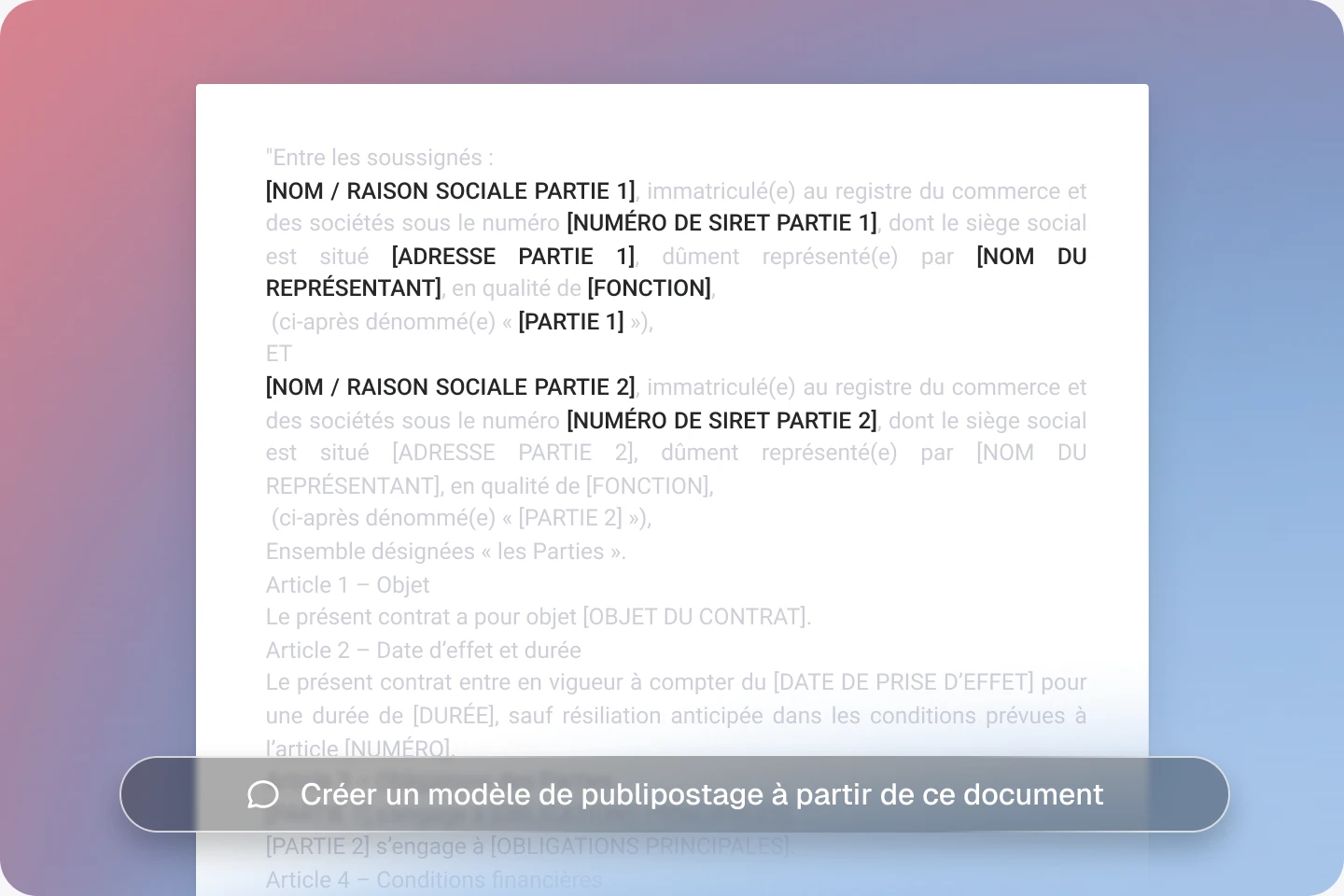
![A document template with [NOM], [FONCTION] and [DATE] placeholder fields](/_astro/bespoke-card-model.jC3m-d5a_Z13Fs4j.webp)
Import your template
Jimini automatically identifies the variables in square brackets.
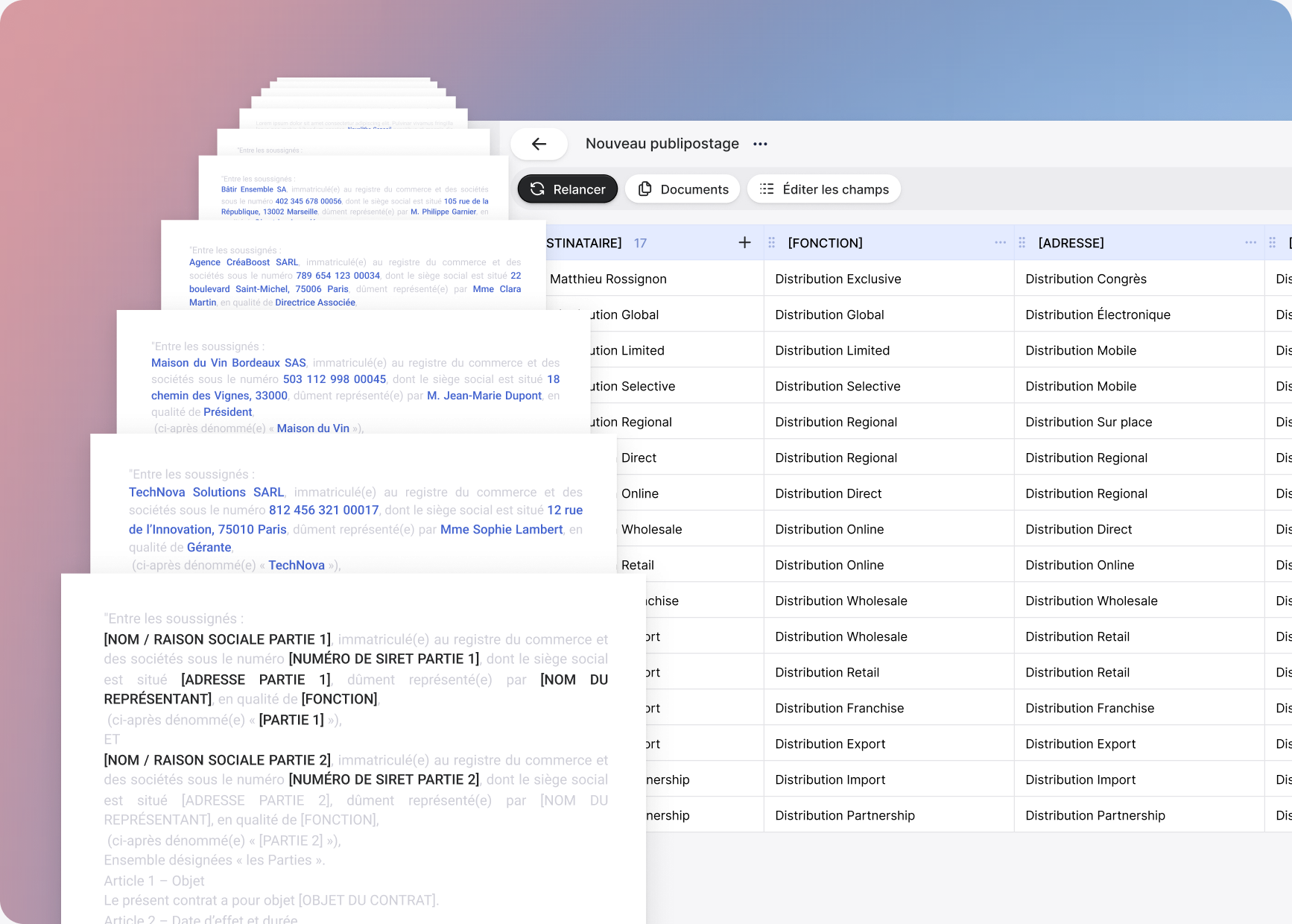
List your recipients
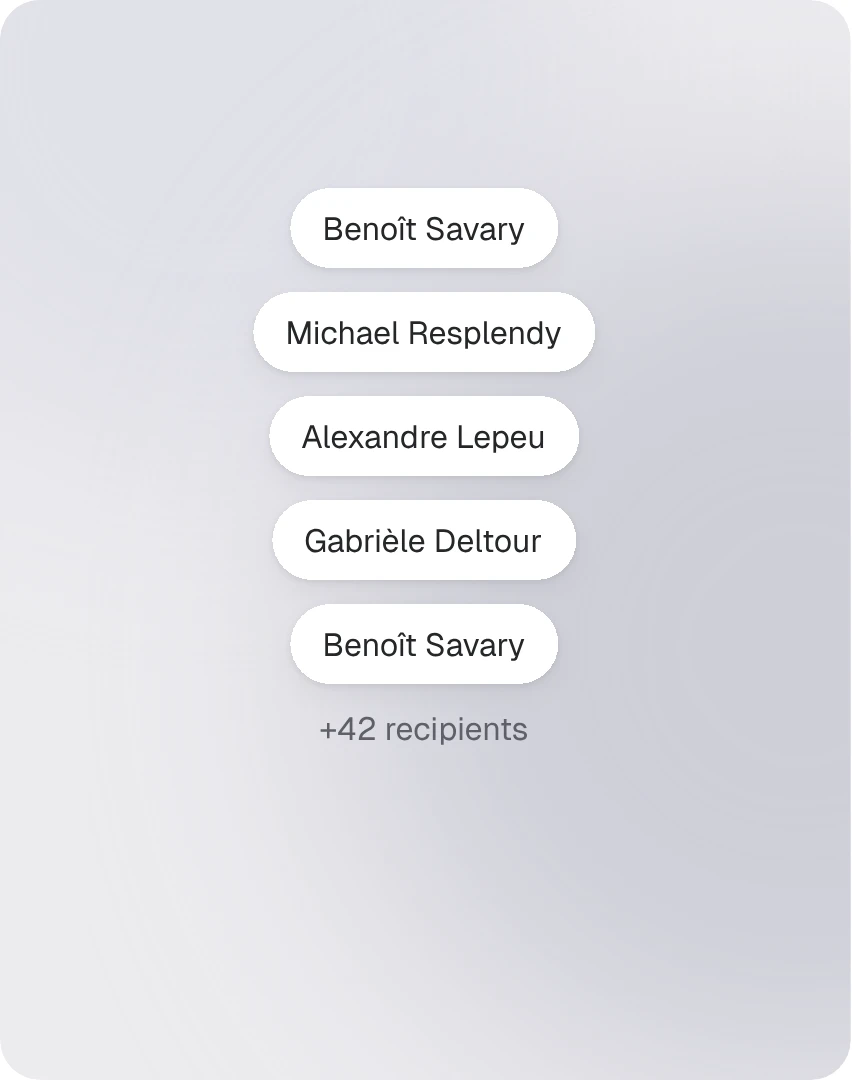
Add recipients to your table and fill in the information you need.

Add your files
Add source documents in Word or PDF. Jimini extracts the information needed for the table.

Review the filled-in data
Check Jimini's results and edit them as needed.

Preview the documents
Before exporting, you can review every copy directly in Jimini.

Roll out your templates in one click
Download all the individualised documents in Word or PDF. Ready to sign.
Applications by practice area
Designed for every practice area
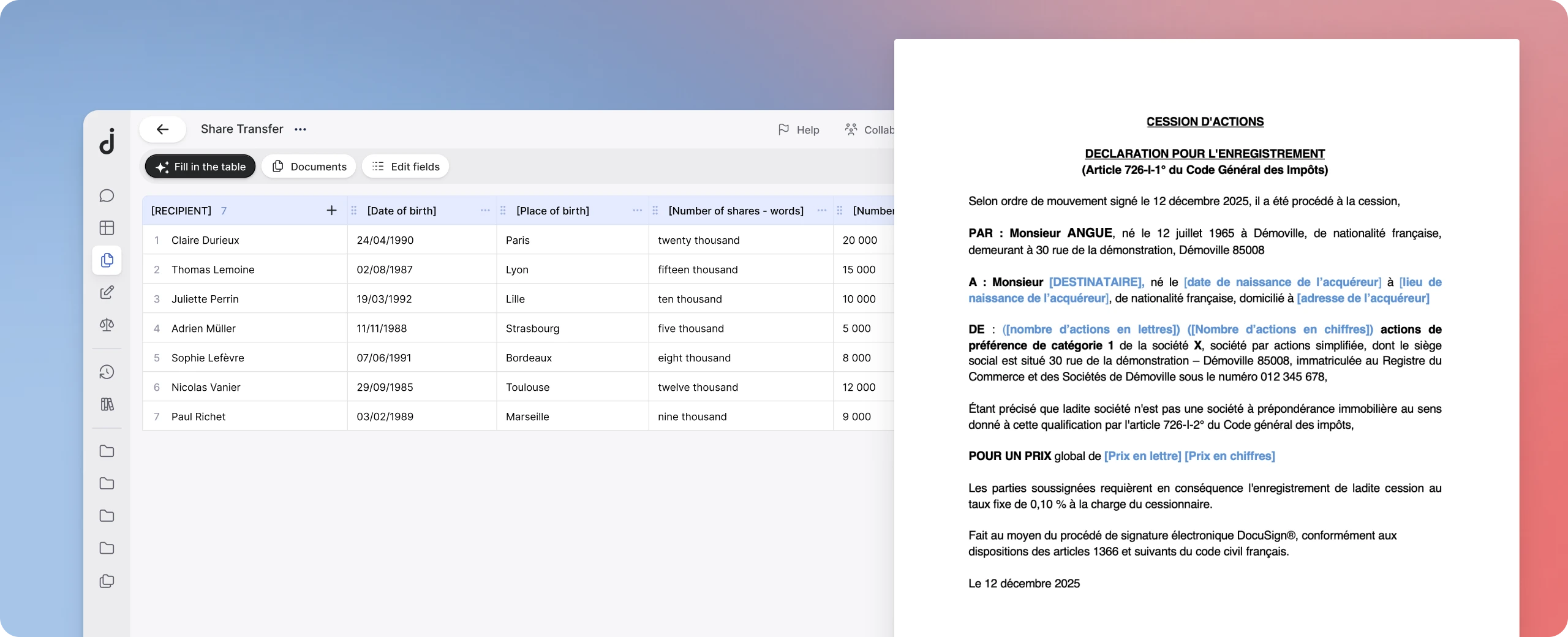
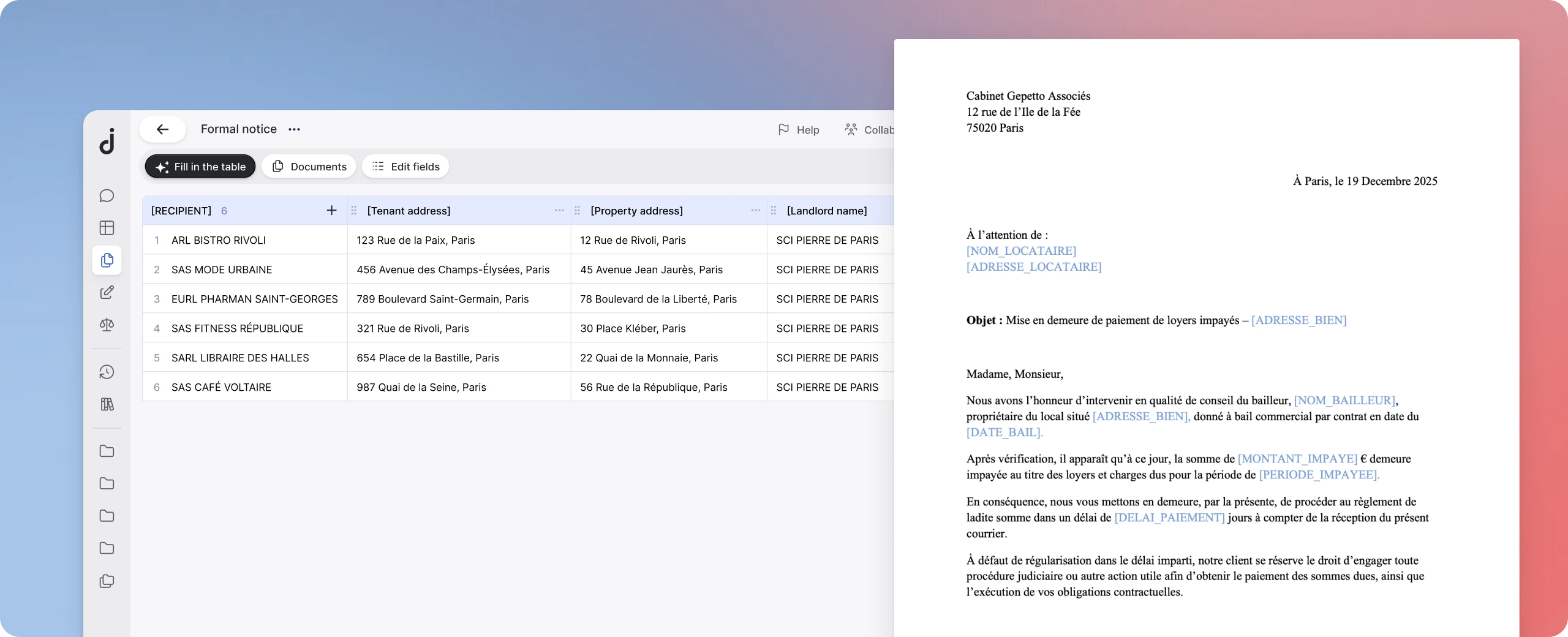
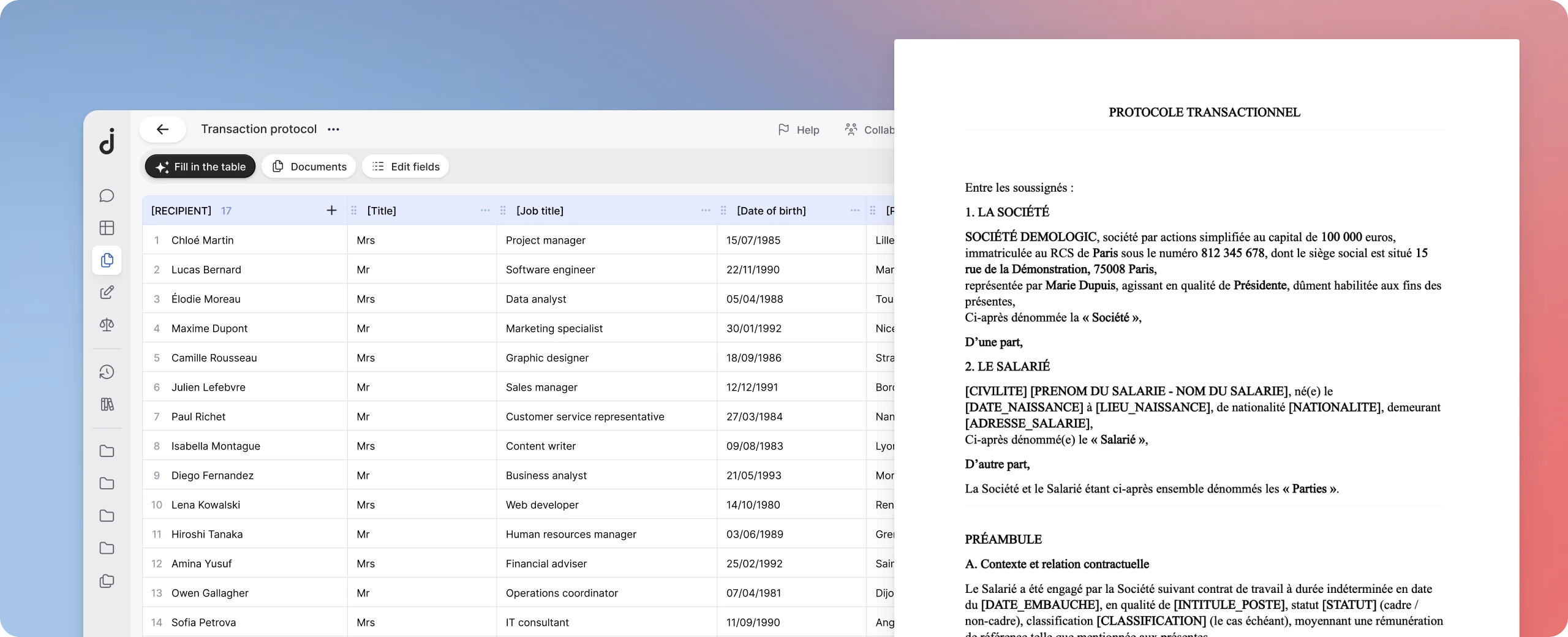
Features
Import your template
Import a template, or turn a precedent into a ready-to-use template.
Extract variables automatically
Jimini extracts the variables from your documents, recipient by recipient.
Generate in bulk, after review
Minutes, share transfer forms, court submissions, settlement agreements
“The performance of the mail merge tool alone justifies adopting the solution.”
Frequently asked questions
Everything you need to know before trying it
What is the difference between AI Mail Merge and the Analysis Grid?
The Analysis Grid extracts and compares information across several documents. AI Mail Merge generates personalised documents from a template with fields in square brackets. In short: the Grid analyses, Mail Merge drafts.
How should I prepare my template before running a mail merge?
Add fields in square brackets (e.g. [NAME]) with clear labels. For complex fields, add a description. If you are starting from a precedent, use the Anonymisation tool to automatically create a reusable template.
What is AI Mail Merge for, and what are the use cases by practice area?
AI Mail Merge automatically generates personalised documents from a template. It is used in particular in litigation, employment, corporate, real estate and insolvency proceedings, and handles hundreds of recipients.
Which formats are accepted as input, and in which format are documents generated?
The template must be a DOCX. Source documents can be DOCX or PDF. Download the documents as DOCX or PDF; you can export the completed table to Excel.
Where is my mail merge saved, and how do I find it again?
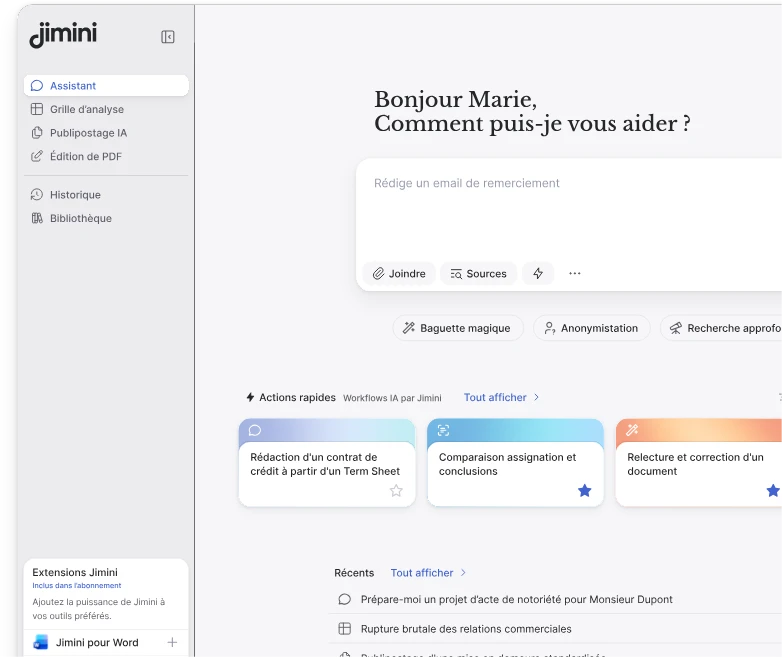
AI Mail Merge is available from the left-hand menu. There you will find all your mail merges and can create new ones.